
Have you ever wondered if it really makes sense to pay for a premium account? Georgia Hamblett gives you some insights on how usefull the features for Aquabike.World premium members really are for an athlete.
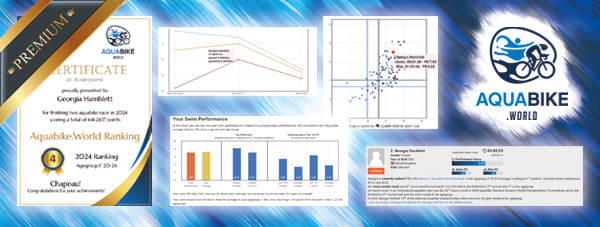
We’ve all done it.
You finish a race. And before you’ve had chance to sit down, you’re straight at the Garmin looking through your stats. Then when the results come out, you’re analysing those stats. As aquabikers, we cannot get enough of the stats.
And that’s why I love Aquabike Premium.
The insights you get into your race results are so detailed and give you information I didn’t even know could be calculated. I am honestly baffled by how such a complex thing has been created. But I’m not complaining. I have been transformed into an avid user, and now cannot complete a race without checking my race report, performance scores and ranking on Aquabike World.
But what do all those things mean, I hear you ask.
Don’t worry. I’ll talk you through it. And once you know, I’m sure you’ll also no longer be able to race without checking your stats on your Aquabike Premium Account.
Here’s My Top 5 Aquabike Premium features.
1. Race Report
This is really cool. It gives you literally any stat you could dream of about your race.
– Competition Score shows how competitive the race was.
– Data on the participant age range, DNFs, DQs and finishers.
– Finish time spread for all age categories.
And then the ones you’re really interested in … the ones about you!
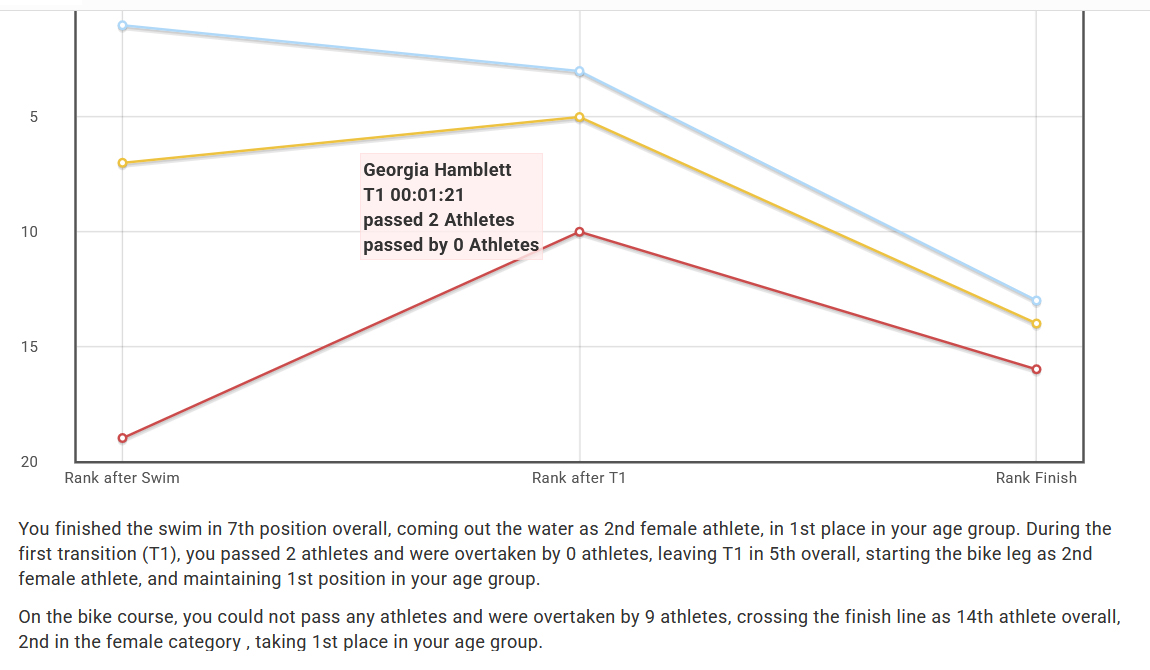
Your ranking throughout the race – overall, in your gender and age group, and you can even compare to another athlete. I also love the text that comes with the stats … yes, Aquabike World, I did pass 2 athletes during transition! I was zooming!
You can hover your mouse over different parts of the graph to see what was happening at each part of the race in more detail … these little interactive features make analysing your race so much more interesting.
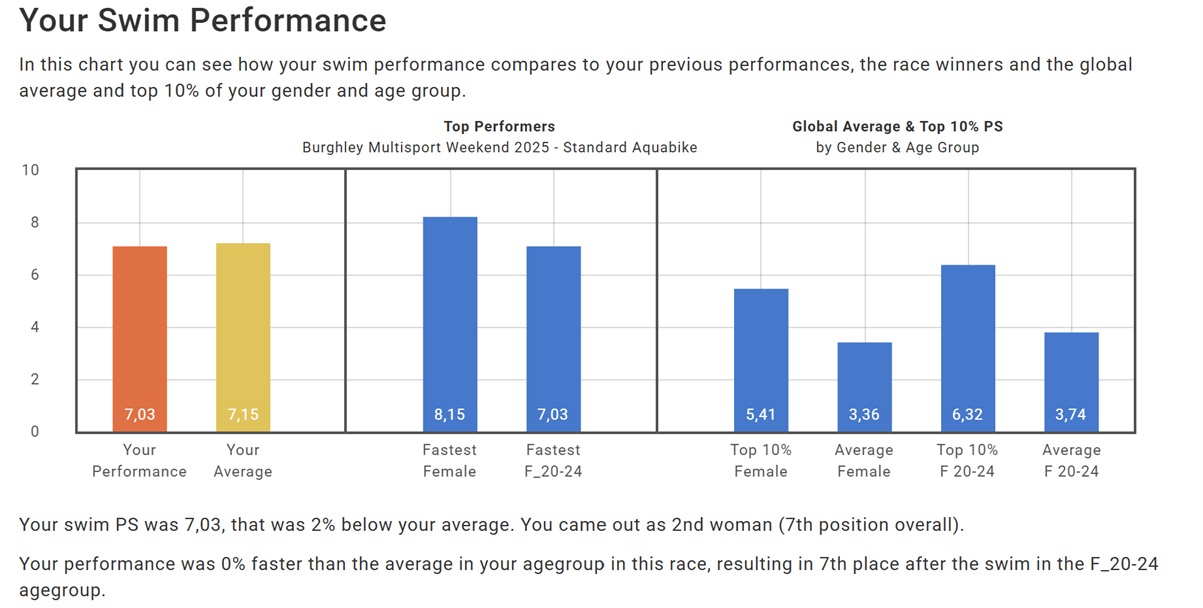
Your performance score … we’ll touch more on this in a second … but this is possibly my favourite individual feature. In brief, you can compare your swim, bike and even transition performance relative to previous races you’ve done, averages in the race and global averages in your gender, age category and the top 10% of both. My mind is blown by how it works. Don’t start looking at this when you’ve got jobs to do. The jobs won’t get done.
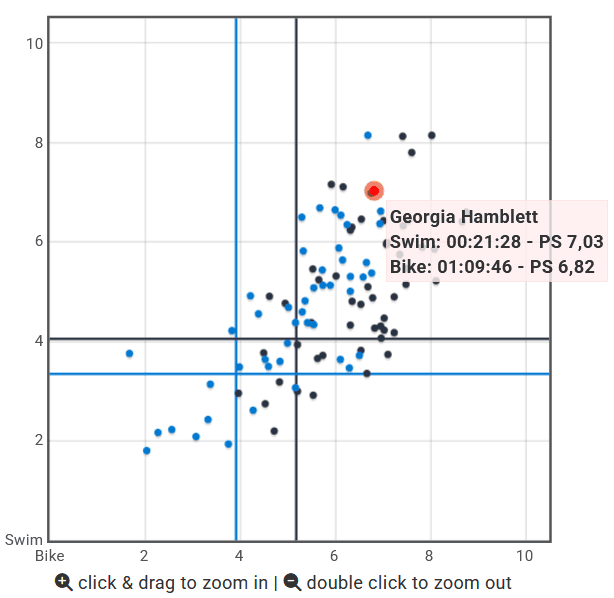
Swim Bike Performance Spread. This is similar to the above but in the form of a snazzy scatter graph chart that makes it easy to analyse and makes you glad you’ve eventually found a use for the graph-reading skills they taught you at school. You can also hover your mouse over the dots and it tells you which athlete it actually is and shows the performance scores.
With a Aquabike Premium membership, you get this for every race you do. With a standard membership, you get a report for your first race of the year (but trust me, once you’ve tried this feature, you’ll want a report for every race).
2. Benchmark Times and Performance Score
Benchmark times are calculated times that a top elite triathlete would theoretically achieve in each discipline at that race. The overall time probably wouldn’t be achievable by even the top pro triathletes, as the strongest swimmer isn’t usually the strongest cyclist.
Performance scores compare your swim and bike to the benchmark time, and to that of your competitors. I love this feature as with Aqua-bike, a time isn’t always that useful due to differing routes, conditions etc. Performance Score is a much more transferable indicator of performance, and finally gives you some evidence as to whether you actually are a stronger swimmer or biker. (Still swimmer for me, but that cycling score is creeping up).

3. Competition Analysis
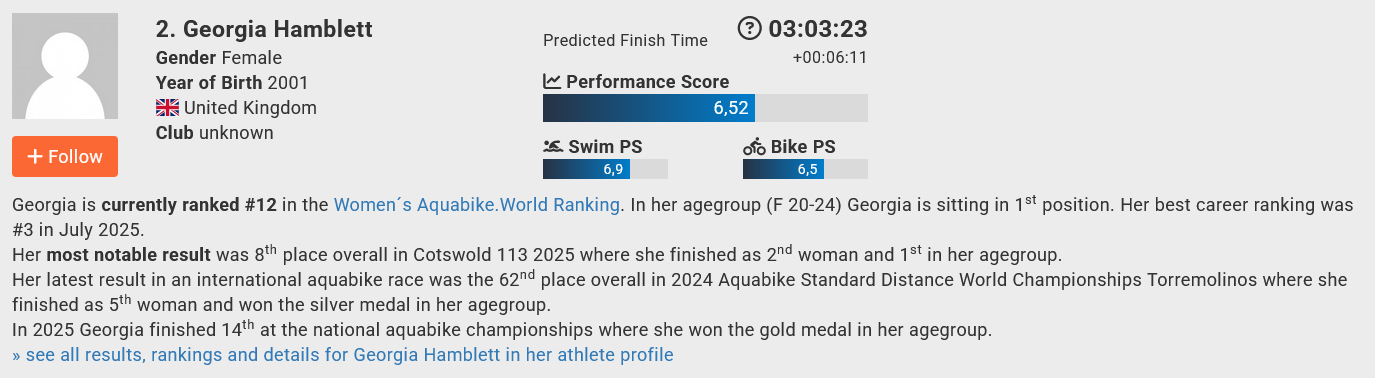
This feature really does make you feel like an undercover detective, so as much as once you race your results are out there in the world for all to see (for better or for worse), I’ve demonstrated this feature on myself.
Imagine you’ve just received that enticing email titled ‘Start Lists Attached.’ You open it and see the list of names in your race … but you don’t recognise any of them.
Competition Analysis is the feature for sussing out the competition.
Simply type in an aquabiker’s name, and the Competition Analysis feature will pull up a summary of the athlete’s performance, including their historic results, rankings and performance scores. And what do we know about performance scores? They can be used to compare swim and bike strength regardless of the course or conditions, so it’s a perfect way of sussing out an athlete’s potential before you race them.
The feature even gives you a prediction of the race result provided the organiser has uploaded a start list. How cool is that?
4. Race Statistics
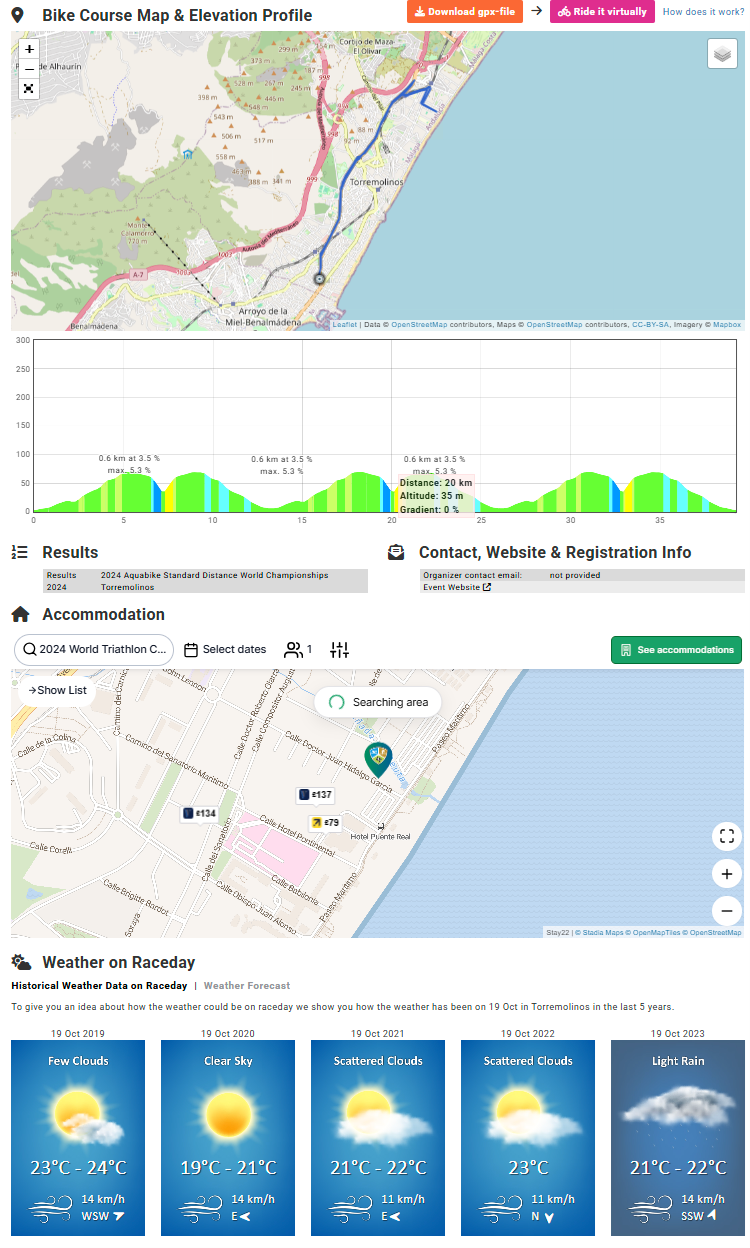
This is the ultimate tool for sussing out an event before race day.
This includes many of the general statistics as you may see in a race report such as competition scores, participant statistics, finish times, discipline splits and overall results. These are so useful for learning more about what to expect in terms of competition and times.
There’s also loads of information on the routes and race information. It’s a perfect go-to place to find answers to all those niggling pre-race questions without having to troll through your emails trying to find the one with the race pack attached.
The features which really took me by surprise were the historic weather reports, accommodation suggestions and ‘things to do’ in the local area. This feature really does help calm those pre-race worries, and is a one-stop shop for everything you need to organise your race.
I guess this feature technically shouldn’t be on my list as it’s available to all users, not just Premium members … but it is definitely in my top five, so it’s here.
5. Certificate
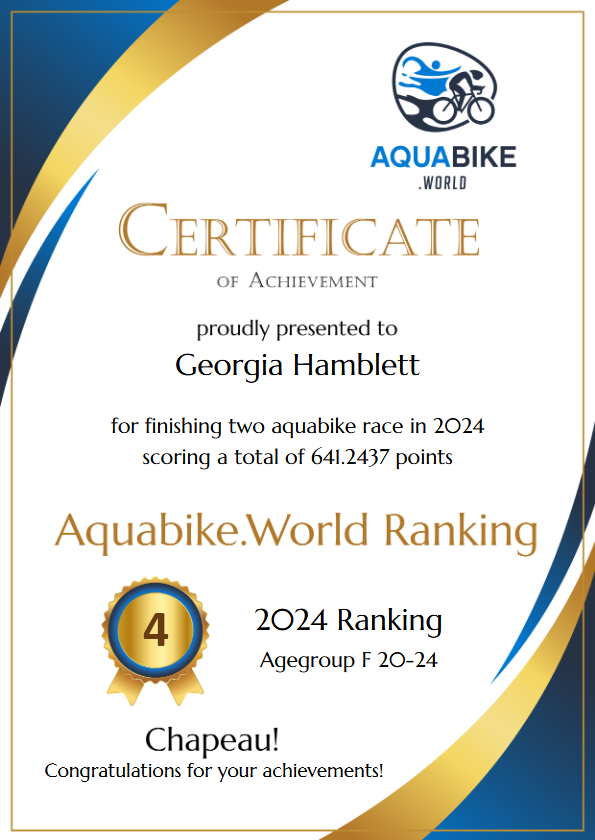
I was the kid that got excited about a sticker from the dentists and am proud to say the joy at receiving some sort of accreditation for my achievements has never waned. So, I love the World Ranking Certificate you get with your Aquabike World Premium account. Trust me you’ll want to frame that on the wall. Especially for when you have family round.
And that’s it, my favourite 5 features within my Aquabike Premium Membership.
So go on, give Aquabike Premium a try. And when you do, let us know. What’s your favourite feature?

I’m Georgia – a keen multisport athlete, and a freelance copywriter. In terms of my sporting credentials, I won AG Silver at World Aquabike Championships last year, AG Gold and Overall Silver at the British Champs at Burghley, and AG Gold in my first Half Ironman at the English AG Champs at the Lakesman (one of a fleeting few events in which my injuries didn’t prevent me from running). Due to said injuries, I have become very fond of the possibilities aquabike racing opens up.